
Getting started
How to get the most out of Stride, and what Jeevrit+ adds
Set up a home or gym plan, check your readiness, log your sets and read your progress in Stride. Plus what stays free and what Jeevrit+ adds.
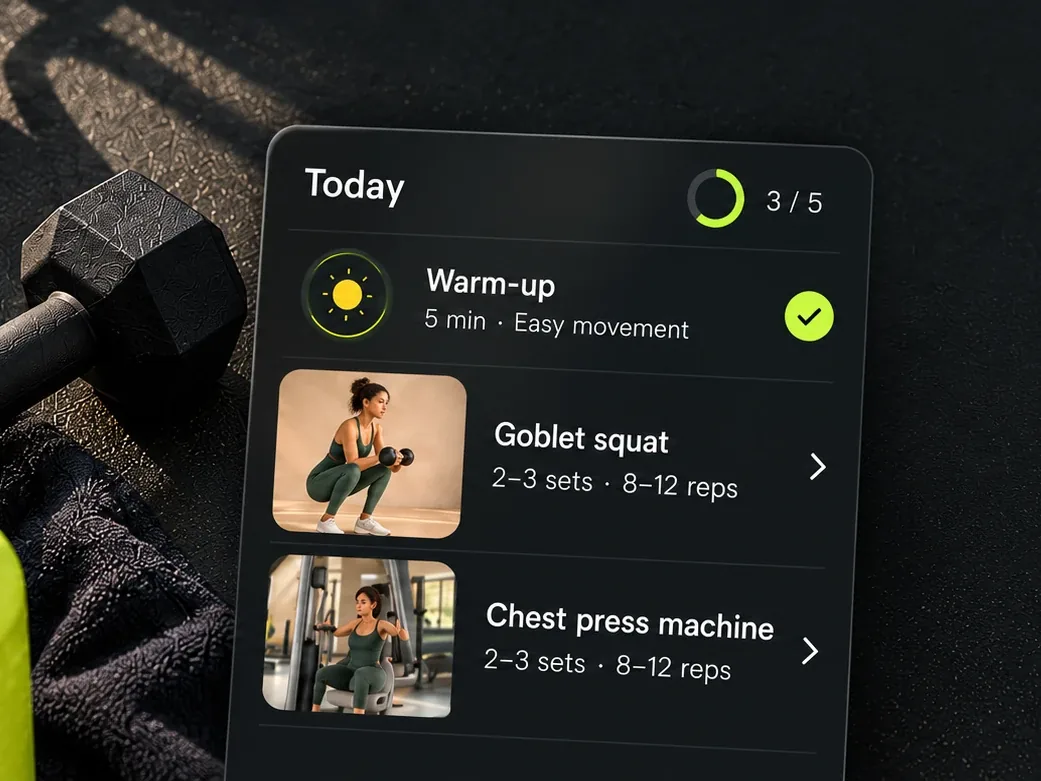
Stride is the training space inside Jeevrit. It builds a week of workouts around the days, place and kit you actually have, walks you through each session and keeps a record of what you lift. Here is how to set it up well, how to use it from one session to the next, what stays free and what Jeevrit+ adds.
Set up a week you can keep
Get Jeevrit, then tap the Stride card on your Today screen. Setup takes a few minutes, and you can change every answer later in Stride’s settings.
- Your starting point. New to this, some experience, or you train regularly. If you are unsure, pick the lower one. It is easier to move up than to recover from starting too hard.
- Where and how you train. Home, the gym or both, and strength on its own or strength with mobility.
- Your schedule. How many days a week, which days, and how long a usual session lasts, from 20 to 90 minutes.
- Your kit. At home, tick what you have: just your bodyweight, dumbbells, bands, a kettlebell, a bench or a pull-up bar. Your plan uses only that.
Choose the days you can protect in your busiest week, not your best one. The World Health Organization recommends strength training on two or more days a week, so two sessions you keep are already a real routine. Our guide to building a routine you can keep has more on this.
Let the plan move on
Your plan runs in four-week blocks: Foundation, then Build, then Advance, and then round again with new main exercises. You do not need to rewrite anything for your training to move on. Just keep turning up.
Check your readiness before you start
Above today’s session, Stride shows a simple readiness level: high, moderate or low. It compares last night’s sleep with your usual, checks whether today’s muscles were worked in the last day, and looks at whether your last session felt too hard. It needs a few nights of sleep to learn your usual. Tap the level to see the reasons. On a low day, you can choose “Make today lighter”: one set fewer on each exercise, today only. The guide to training around your sleep and your cycle explains it in detail.
Get the most from each session
- Check the move first. Every exercise has start and finish photos, step-by-step instructions, easier and harder versions and a clear point to stop.
- Log as you go. Record the reps and kilograms for each set. A rest timer runs between sets, and you can add 30 seconds, pause it or skip it. The screen stays awake while you train.
- Swap what does not suit you. Change a move for today only, or for the rest of the block. If where you train does not have what a move needs, choose “I can’t do this where I train”.
- Say how it felt. When you finish, rate the session Easy, Just right or Hard. A Hard session is one of the things your next readiness check looks at.
Read your progress once a month
Progress shows your last 30 days: the workouts you did, your muscle balance and your calendar, and Stride marks a new best when you lift more than before. Strength builds slowly, so a month tells you more than a single session does.
What stays free
On every plan, Stride gives you up to two training days a week with the full session, the whole exercise library, swaps, set-by-set logging with the weight you lifted, your session summary, 30 days of progress with muscle balance, the calendar, and pausing, downloading or deleting your Stride data.
What Jeevrit+ adds
Jeevrit+ is one subscription for Jeevrit, Stride and Laya. In Stride, it adds:
- More training days. Three to six days a week and every plan style, including gym sessions that work two muscle groups at a time, with supersets.
- The weight to try next. Stride suggests your next weight for each exercise, such as “Try 27.5 kg”, based on what you lifted.
- Your whole training history, with your records, your 1-rep max, strength charts and the muscle map.
- More say over today. Add exercises to today’s session, and share your week as a picture to send to anyone.
Ending Jeevrit+ deletes nothing you logged. New to the rest of the app? Read how to get the most out of Jeevrit, or getting started with Laya if you track your cycle.
Sources
This article shares general exercise information. If you have a health condition, an injury, are pregnant or are unsure whether an exercise suits you, check with a doctor or qualified trainer first. Stop if a movement causes sharp pain.
All Stride articlesFind your stride.
Plan your week, follow your session and log your sets. Stride lives inside the Jeevrit app.
Start trainingFree on Google Play for Android.More from the Stride journal
 Training habits · 3 min readA routine you can keepChoose your days. Plan your session. Start where you are.Read article
 Exercise guide · 3 min readFree weights, made simpleA straightforward place to begin with dumbbells.Read article
 Recovery · 4 min readTraining with more contextSleep, optional cycle context and the choice to take a lighter day.Read article